Fundamentals
Git, Phần 4: Remote là một repository khác
Remote là repo khác; fetch copy commit và cập nhật ref tracking; pull merge vào branch bạn; push công bố ref của bạn.
- Gieo
- Chăm lần cuối
Phần 1–3 ở trong một folder trên máy bạn. Cộng tác thêm bản copy cùng object database ở chỗ khác — remote. Sau bài này bạn đọc origin, origin/main, và main là ba ref khác nhau, và đoán fetch, pull, push sẽ dịch gì trước khi chạy.
Đây là Phần 4 trong loạt sáu phần. Ta vẫn tránh tutorial “bấm đây trên web.” Sản phẩm hosting bọc các lệnh này; cơ học là Git thuần.
Nó là gì?
Remote là biệt danh cho vị trí repository khác. git clone tạo repo local, ghi biệt danh (thường origin), copy branch và commit, và đặt remote-tracking branch như refs/remotes/origin/main. Ref tracking nhớ “origin main ở đâu lần nói chuyện thành công cuối.” Chúng không phải branch checkout hàng ngày. Branch thường dùng là refs/heads/main, thường hiện main.
git fetch liên hệ remote, tải commit và object thiếu, cập nhật ref remote-tracking. Không đổi main hay working tree. Sau fetch, origin/main có thể trỏ commit mới trong khi main vẫn chỗ cũ.
git pull là fetch cộng bước tích hợp — mặc định git merge vào branch hiện tại. Vì vậy pull có thể tạo merge commit hoặc fast-forward main khi bạn đang behind. git pull --rebase replay commit local lên ref tracking đã cập nhật; Phần 5 đi sâu replay.
git push gửi commit local lên remote và yêu cầu remote dịch ref branch của nó — thường để origin/main khớp những gì bạn push từ main. Remote từ chối push nếu sẽ vứt commit người khác đã publish trừ khi force (chủ đề chính sách team Phần 5–6).
Khi nào dùng?
Dùng fetch khi muốn xem upstream đổi gì không đụng file — trước review, trước khi chọn merge hay rebase, hoặc chỉ cần cập nhật origin/main cho git log origin/main..main.
Dùng pull khi sẵn sàng tích hợp việc upstream vào branch đang checkout và merge (hoặc rebase cấu hình) chấp nhận được ngay.
Dùng push khi commit local trên branch nên vào lịch sử remote và bạn có quyền dịch ref remote đó.
Không cần pull mỗi lần fetch. Nhiều team fetch thường rồi merge hoặc rebase có chủ đích. Cũng không push mỗi commit vừa có — nhất là khi CI hoặc review phải pass trước. Phần 6 nói team chặn chuyển động đó thế nào.
Demo tương tác
Theo dõi origin như bong bóng repo thứ hai và origin/main như nhãn trễ hoặc bắt kịp. Fetch copy commit và trượt ref tracking tím không dịch main. Pull đưa main về origin/main. Push gửi commit chiều ngược và căn tip remote.
Minh họa tương tác
git commit only moves your local branch. Remote-tracking refs and the server stay where they were until you push or fetch.
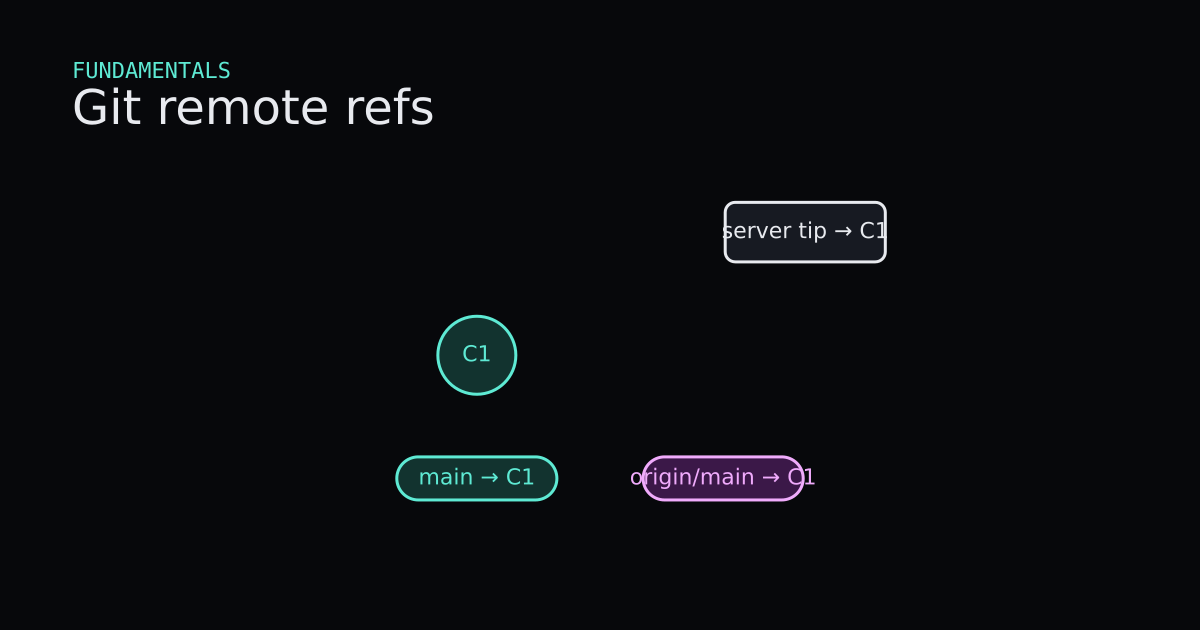
Commit nodes C1 and optionally C2 form a chain. Pills label main and origin/main with arrows to their tips. Readouts show both tips. git commit advances local main only. git push slides origin/main to match. When the server already has C2, git fetch updates origin/main without touching local main, then git pull fast-forwards local main. Reset clears to both refs on C1.
- Both main and origin/main start on C1. The server tip matches.
- A teammate pushed C2 to the server. Your clone has not fetched yet.
- git fetch copies the remote tip into origin/main without moving local main.
- git pull fast-forwards local main to the same commit as origin/main.
- After Reset, commit locally and push to send your own C2 upstream.
- git commit grows C2 on main only.
- git push updates origin/main and the server to match your tip.
local main: C1 · origin/main: C1
Code
Hai folder một máy: origin đóng vai upstream, clone là kết quả git clone. Đường dẫn rút gọn. Git 2.43.0.windows.1.
$ # in .../origin
$ git init -b main
$ git commit -m "Initial"                 # a39342e

$ # in empty .../clone
$ git clone ../origin .
Cloning into '.'...
done.

$ git remote -v
origin  .../origin (fetch)
origin  .../origin (push)

$ git branch -a
* main
  remotes/origin/HEAD -> origin/main
  remotes/origin/main
Sau clone, main và origin/main cùng bắt đầu a39342e. HEAD theo main local.
$ # teammate commits in .../origin
$ git commit -m "Upstream second"         # 31e6b67

$ # back in .../clone
$ git fetch origin
From .../origin
   a39342e..31e6b67  main       -> origin/main

$ git log --oneline --decorate --all
a39342e (HEAD -> main) Initial
31e6b67 (origin/main, origin/HEAD) Upstream second

$ git status
On branch main
Your branch is behind 'origin/main' by 1 commit, and can be fast-forwarded.
  (use "git pull" to update your local branch)
Fetch cập nhật origin/main nhưng để main ở a39342e. Status so hai ref — dòng “behind by 1 commit”.
$ git pull
Updating a39342e..31e6b67
Fast-forward
 readme.txt | 2 +-
 1 file changed, 1 insertion(+), 1 deletion(-)

$ git log --oneline --decorate -2
31e6b67 (HEAD -> main, origin/main, origin/HEAD) Upstream second
a39342e Initial
Pull fast-forward main vì không commit local trên a39342e. Nếu có commit local, pull merge hoặc rebase theo config — cùng hình Phần 2 và 5.
$ # after a new local commit on main
$ git push origin main
Push gửi object remote thiếu và cập nhật refs/heads/main trên origin. Khi lịch sử bạn là bước tiến strict của origin/main, remote fast-forward. Khi không, Git từ chối đến khi tích hợp hoặc theo quy tắc team về force.
Mã nguồn
Mã nguồn
Chỉ đọcTooling/Git/remote-refs.sh
Chỉ đọc
# Local main and origin/main (remote-tracking)
git status

# Record a commit locally (main moves, origin unchanged)
git commit -m "Local work"

# Copy local commits to the remote; origin/main updates
git push origin main

# Download new remote commits into remote-tracking refs
git fetch origin

# Fetch plus fast-forward when your branch is strictly behind
git pull origin main
Ưu và nhược điểm
+ Ưu điểm
- fetch tách tải xuống khỏi merge, bạn inspect origin/main trước khi đổi branch hay working tree.
- Ref remote-tracking làm rõ ahead, behind hay diverged không cần đoán.
- push và fetch đối xứng: commit và ref chuyển giữa hai repository đầy đủ, không phải folder cloud ma thuật.
− Nhược điểm
- Ba tên ref cho một branch logic làm rối đến khi vẽ main local versus origin/main.
- pull giấu fetch cộng merge, bất ngờ khi merge commit xuất hiện.
- Push bị từ chối non-fast-forward là hành vi Git đúng nhưng cảm giác lỗi đến khi hiểu tip chia sẻ.
Mẹo
- 01Sau clone, nhớ origin/main là bookmark cập nhật bởi fetch — không phải branch bạn sửa trừ khi checkout ref đó cố ý.
- 02Chạy git fetch origin thường xuyên, rồi git log --oneline main..origin/main và origin/main..main để thấy commit vào và ra.
- 03Ưu tiên git pull chỉ khi sẵn sàng tích hợp; không thì fetch rồi chọn merge hay rebase rõ ràng.
- 04Trước push, git status và đảm bảo branch track remote đúng; git push -u origin main đặt upstream một lần.
- 05Khi status báo diverged, fetch trước, rồi merge hay rebase — đừng force push branch chia sẻ không có quy tắc team.
- 06Dùng git remote -v và git branch -vv để xem URL và ref tracking mỗi branch local theo.
Series
- Phần 1: Git, Phần 1: Commit là snapshot, branch là nhãn dán
- Phần 2: Git, Phần 2: Merge nối hai nhánh snapshot
- Phần 3: Git, Phần 3: Restore, revert và reset đụng các lớp khác nhau
- Phần 4: Git, Phần 4: Remote là một repository khác
- Phần 5: Git, Phần 5: Rebase replay commit lên parent mới
- Phần 6: Git, Phần 6: Team thống nhất lịch sử thế nào
Tiếp theo
Bài kế trong đường đọc: Git, Phần 5: Rebase replay commit lên parent mới